
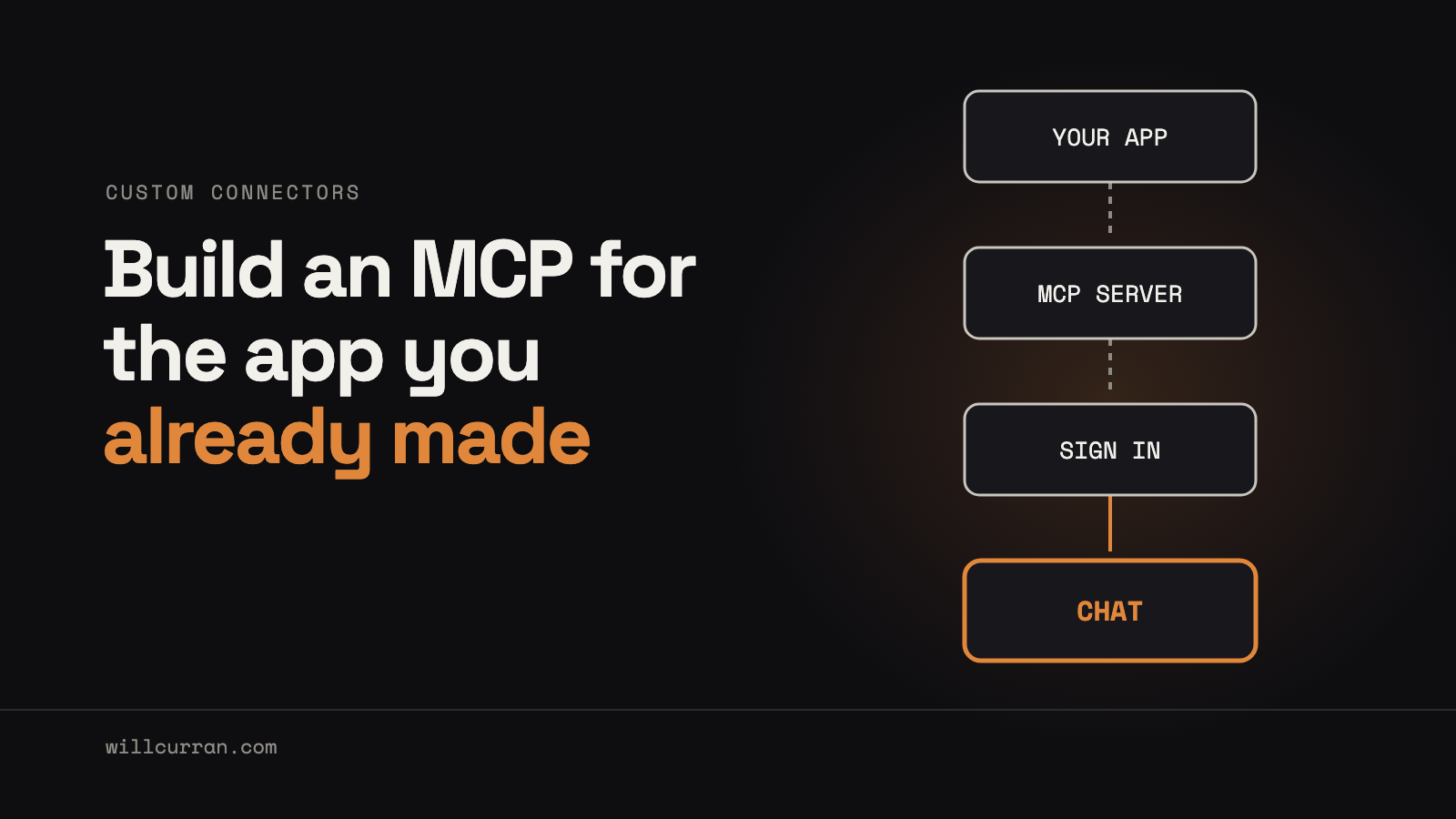
Someone in my house wanted to use the garden app I built for us from regular Claude, the chat app, not Claude Code. They have no interest in a terminal. So I put a remote MCP server on the app, behind its own OAuth sign-in, and added it to Claude as a custom connector. It took three pull requests and went live on November 11. Four days later I did the same for Home Assistant, using the MCP server that ships with it.
The lesson: an MCP turns Claude into the front end for software you built yourself.
Everyone is building MCPs. Put one on your own app.
There's a lot of energy right now around building MCP servers. The move that paid off for me was more specific. I took an app I already had, one that holds a lot of our garden data, and gave it an MCP so people who will never open Claude Code or touch an API can still use all of it.
The garden app has a web UI, and it's fine. But asking "what needs doing in the garden today?" in a chat is easier than any screen I'll design. AI is becoming the interface, and a homegrown app doesn't always need a traditional UI for every job.
Half of it already existed
The design came first. On November 9 it was a written plan with no code, and writing it showed me the app already had a working MCP server with a few dozen tools, scoped API tokens and a two-step confirm for anything destructive. The plan said it plainly: the job was OAuth, a public route, some missing tool areas, hardening and proof. It was not a rewrite.
The three pull requests split the same way: the OAuth server, the MCP side, and the tool gaps. The tool list has more than doubled since, including tools that return a picture of a bed or a seed tray instead of a wall of text.
How it stays the same app
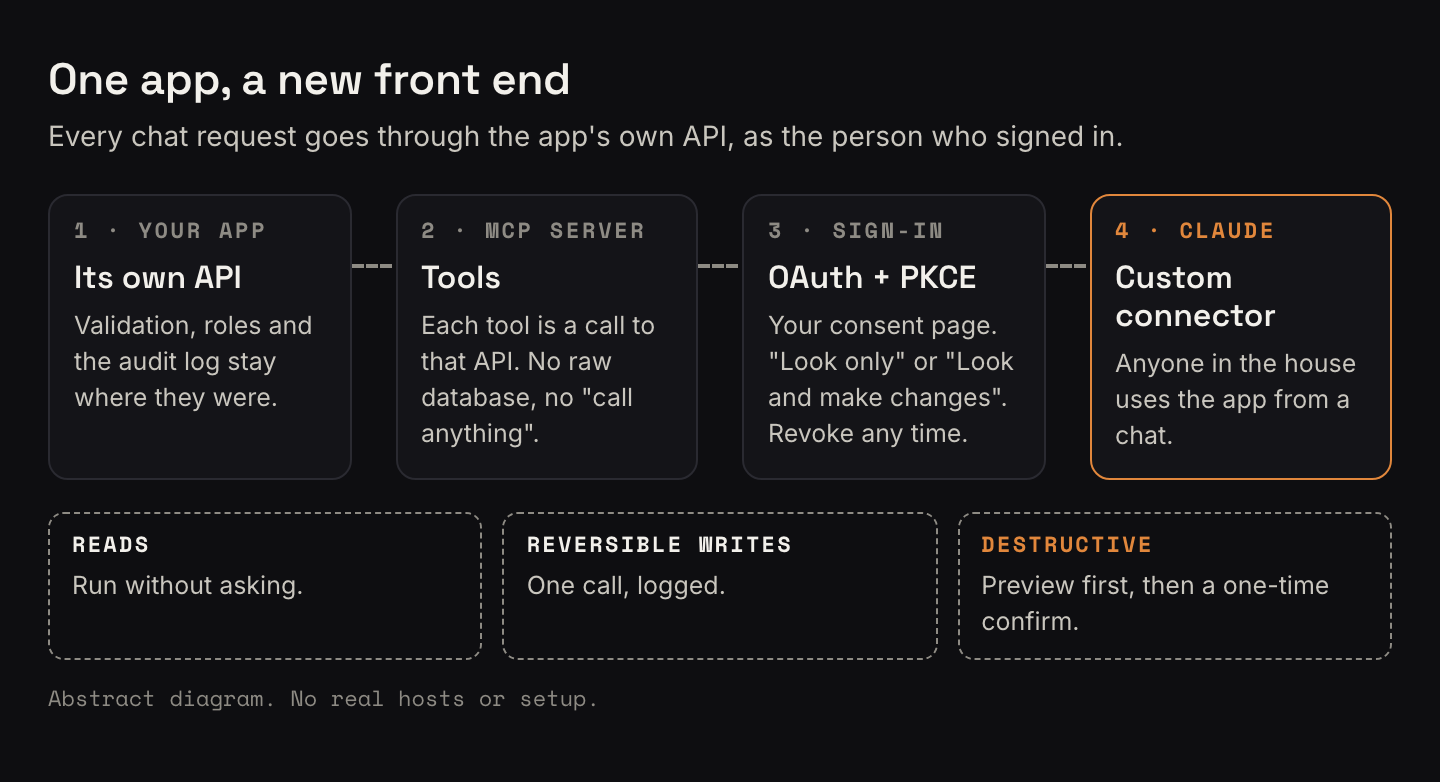
I didn't want a second way into the data with its own rules. Every tool call goes through the app's own API as the signed-in person, so the app's validation, role checks and audit log still apply. There's no raw database tool and no "call any endpoint" tool.
- Reads run without asking.
- Reversible writes, like adding a task, run in one call and get logged.
- Destructive actions return a preview first. Only a second call with a single-use confirm token, tied to those exact arguments, does the delete.
The tools carry read-only and destructive labels in the MCP metadata, so Claude's own approval prompt asks before anything destructive. Text people write in the app, like journal entries, is treated as data, not instructions.
Watering was my call. The connector can read zones, schedules and history and help plan, but it can't turn the water on.
Signing in like a real app
Auth is OAuth 2.1 with PKCE, and the garden app is its own authorization server. Claude identifies itself with its published client identity, so there are no client secrets to hand around. When I pasted the connector URL into claude.ai, it detected all of that on its own.
Sign-in happens on the app's own consent page, with a fresh login, and you pick "Look only" or "Look and make changes". A new connection is refused unless the account owner first switches on new connections inside the app, which makes a phishing link much less useful.
On launch day I ran it end to end from claude.ai: read today's tasks, create a task, delete one (preview, then confirm), ask it to start watering (refused, no such tool), try a write on a "Look only" grant (refused, nothing created), then disconnect from the app's Connected apps page. Access stopped at once, and Claude's next call asked me to sign in again.
An independent security review was the gate to go live, and it found real problems. On November 15 the person who asked for all this connected their own account, picked "Look and make changes", and it answered.
Home Assistant, the built-in way
My first Home Assistant wish list was bigger: build and edit automations, run repairs and updates, all from the Claude app. I looked at a more powerful community MCP server that could do that, and passed.
Home Assistant has shipped its own MCP Server integration since 2025.2, with OAuth and PKCE built in. My setup:
- Device control only. The connector uses the Assist scope. It controls exposed devices and reads their state, and Claude asks before it acts.
- A dedicated non-admin user. The connector signs in as that user, so the logbook shows exactly what came from it. On the first test it turned a light on and off, and the logbook credited that user both times.
- A trimmed exposure list. Device control only reaches entities you expose to voice assistants. I cut mine from 525 to 399. Voice Assist uses the same list, so the trim changes what voice can reach too.
This connector doesn't build or edit automations. Automation editing, repairs and updates stay in Claude Code for me.
One finding worth knowing: on my version, disabling the MCP Server integration didn't stop the endpoint until Home Assistant restarted. Deactivating that user stopped it right away. So my kill switch is that user, not the integration.
The parts that were not magic
- The server can't prove a human said yes. Claude's approval prompt does that part. Don't click "Allow always" on delete tools.
- The delete preview reads like a delete. In claude.ai the preview step was headlined "Deleted" before anything was deleted. That's on the Claude side, and it may have changed since.
- It has to be on the internet. Claude connects from Anthropic's cloud, even from the desktop and phone apps, so a LAN-only app won't work. That raises the stakes on everything above.
- I haven't tested the phone app myself. My end-to-end runs were in a browser.
Where I was the bottleneck, on purpose
The calls that mattered were mine: no turning the water on, a security review before launch, the built-in Home Assistant server over the bigger one, and a dedicated user so I can see what Claude did. That's judgment about what a household tool should be allowed to do, and I'd make the same calls again.
If you are about to try this
- Look at the tools you use most, especially ones holding a lot of your data, vibe-coded or open source. See what they already expose before you write anything new.
- Route every tool through your app's own API as the signed-in user. No back door.
- Make destructive tools two-step, and leave out anything you'd never want done from a chat.
- Test revoke before you share it.
- If you run Home Assistant, connect its MCP Server to regular Claude, not just Claude Code, as a non-admin user.
Build it yourself
What it does: lets anyone with a Claude account use your app from a chat after signing in to your app.
The parts: your app's API, an MCP server over Streamable HTTP, an OAuth 2.1 authorization server with PKCE (S256), and a public HTTPS address.
How it fits: an unauthenticated request gets a 401 pointing to your protected-resource metadata, and Claude finds your authorization server from there. Claude can identify itself with a Client ID Metadata Document when your metadata advertises support for it and the "none" auth method. The callback is https://claude.ai/api/mcp/auth_callback. Details: Anthropic's connector authentication docs.
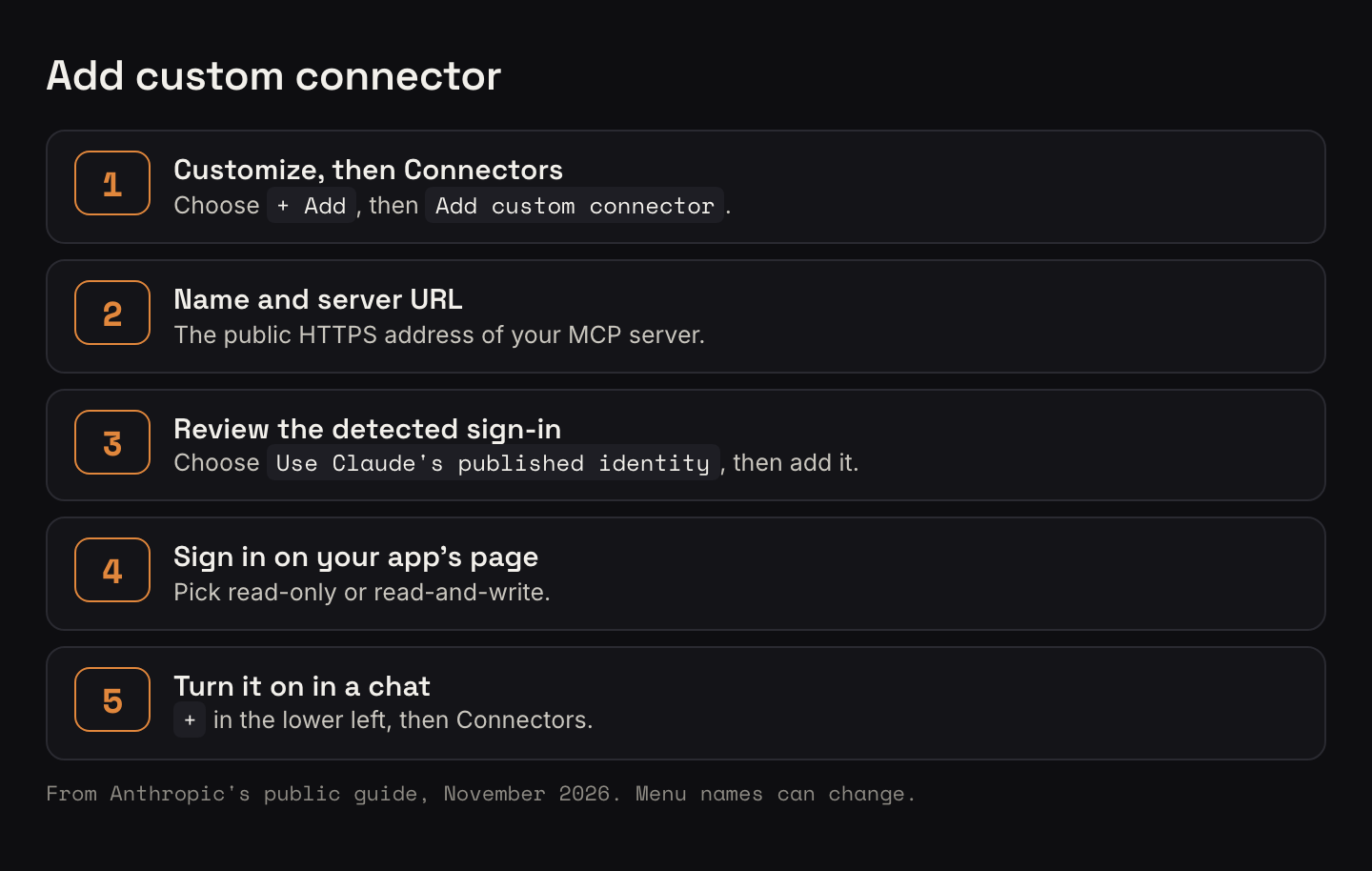
Adding it to Claude: Customize, Connectors, "+ Add", "Add custom connector". Enter a name and the URL, review the detected auth, choose "Use Claude's published identity", and add it. In a chat, turn it on from "+" in the lower left, then Connectors. As of November 2026, Free allows one custom connector, and on Team and Enterprise an Owner adds them under Organization settings. See Anthropic's custom connector guide, which also says to connect only servers you trust.
Home Assistant: Settings, Devices & services, Add Integration, "Model Context Protocol". Claude uses the Assist (Device control) endpoint; sign in as your non-admin user. Your instance has to be reachable from the internet. See the MCP Server integration docs.
Time: for me, a written design one day and live two days later, because the MCP server already existed.
If you've put an MCP on something you built, I'd like to hear what you exposed and what you left out. Reply and tell me.